

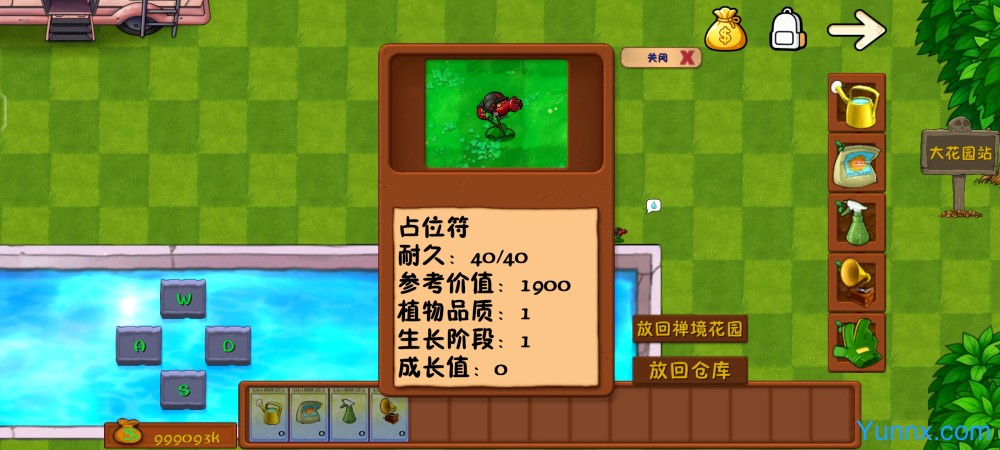
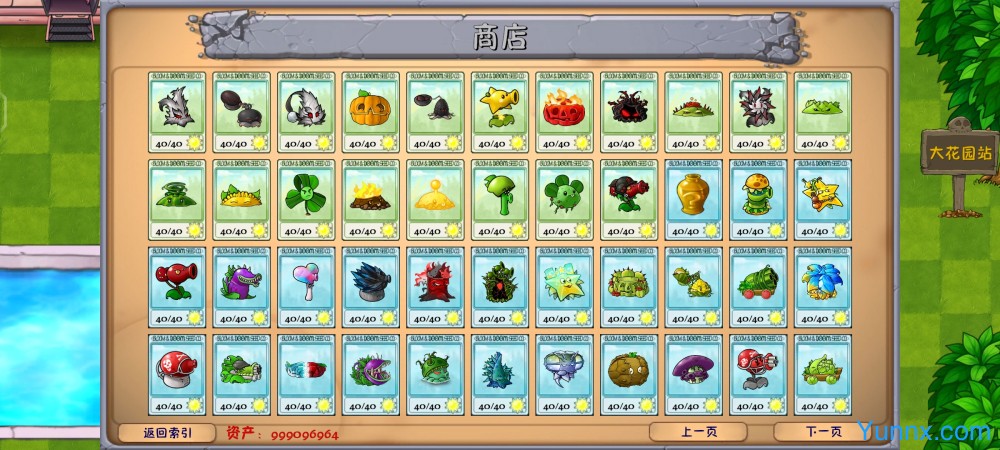
Abandoning the traditional fixed battle mode of Plants vs. Zombies, PVZ Fusion Second Edition PC breaks the limitations of the original troop combinations and focuses on innovative fusion gameplay to reconstruct the overall experience of tower defense and level crossing. It is also a popular single player game of Plants vs. Zombies redesign. This PC exclusive revised game retains the classic tower defense logic, scene art style, and basic sound effects of the original version, while deeply expanding the troop system, supporting the fusion and recombination of any plant and zombie attributes, and creating hundreds of battle combinations that were not available in the original version. The game is compatible with mainstream computer systems as a whole, and can run smoothly on low-end devices without the need for complex configurations. After downloading and decompressing, you can directly experience it without complicated installation steps. It maintains a safe and pure running state throughout the process, without bundled pop-up programs, and is suitable for various needs of ordinary players for leisure level crossing and custom battles.
How to operate the free fusion gameplay?
1. After starting the PVZ Fusion Second Edition PC game, click the Fusion Workshop button on the right side of the main interface to enter the exclusive fusion operation page. This is the only operation entrance for the core gameplay of the game, and all troop fusion operations must be completed on this interface.
2. In the fusion list, select the plant card and zombie card you want to combine, and the system will automatically match the core attributes of both sides to generate a new fusion unit. Compared to the original fixed unit system, there are over 200 new fusion units added, greatly improving the richness of gameplay.
3. After the fusion is completed, click Save Arms to call custom fusion arms in the pass through. Different combinations of arms will generate special attack effects and defense attributes. Some special fusion bodies can also unlock the hidden clearance mechanism, effectively reducing the threshold for difficult passes.
4. Players can click on the Fusion Workshop to reset the combination plan at any time, freely debug different combinations, and do not need to restart the game repeatedly. The operation is convenient and adapts to the exploration needs of various players' gameplay.
What are the advantages of game adaptation and operation?
1. PVZ Fusion Second Edition PC is compatible with all Windows computer systems including WinXP, Win7, Win8, and WinAll, with excellent compatibility. Compared with similar modified games, it has stronger adaptability to low-end old computers, requiring only 2GB of running memory to run smoothly. It occupies about 150MB less background memory than ordinary modified Plants vs. Zombies games.
2. This resource is the official original installation package, which fully retains all genuine game content without modifying core data or deleting level scenes. All integrated gameplay, hidden levels, and exclusive effects are fully unlocked, ensuring that players experience the complete game content.
3. The overall running process is stable and smooth, with a stable frame rate of around 60 frames per second. There are very few issues such as stuttering, crashes, and screen lag. The background does not automatically push pop-up ads, and there are no built-in paid pop ups throughout the game. All content is played for free.
4. After decompressing the file, it can be run directly without installing additional runtime libraries or patch plugins, avoiding the tedious steps of configuring additional environments for most modified games. Novice players can also quickly get started and experience it.
Editor's test: You may need to pay attention to these details
① The installation package has a volume of approximately 388MB. Under the normal read speed of a computer's hard drive, the first boot load takes about 8 seconds. The loading time for low-end devices may slightly increase, and the overall loading speed is at a moderate level compared to similar modified games.
② The software only requests two basic permissions: local storage and device basic information. It has no sensitive permissions to obtain and will not read private computer data, ensuring safe operation.
③ The free version has no ad implantation, no screen opening ads, pop-up ads, or built-in promotion ads. There is no need to manually turn off the ad switch, and the entire gameplay is pure without interrupting the gaming experience.
④ Tested that when running on a low-end dual core computer, there may be slight frame drops in the screen during long-term idle gaming, which is a normal adaptation weakness. Restarting the game can restore smooth operation.
Common gaming problems FAQ
Question: What is the reason why fusion troops cannot be saved?
Answer: It is highly likely that the user exits the workshop interface without clicking the save button during operation, or if the game decompression file is missing, re decompress the official original compressed file, and manually click save after fusion to solve the problem.
Question: What should I do if the special effects of some fusion units are not displayed?
Answer: It is mostly a computer graphics card adaptation issue. Close unnecessary programs in the game background, right-click on the game icon and select compatibility mode to run, and all fusion effects will be displayed normally.
Question: How to deal with the inability to unlock new fusion permissions after completing the level?
Answer: You need to complete all waves of zombie attacks in the current level. Exiting or refreshing the level midway will not unlock permissions. After completing the level, the system will automatically open the corresponding fusion permissions.
Summary of PC exclusive operation shortcut keys
1. W key: Quickly switch up the game perspective to meet the viewing needs of a wide range of level scenes.
2. S key: Quickly slide down the view to accurately view the zombie attack route at the bottom.
3. A key: One click recall of placed fusion plants without the need for manual deletion, improving operational efficiency.
4. D key: Quickly refresh level zombie waves, suitable for quickly testing the combat effectiveness of new fusion units.
5. ESC key: One click pause game, interrupt gameplay at any time, suitable for temporary pause needs.
6. Space bar: Quickly skip level opening animations and save waiting time for repeated levels.
Game features and playability highlights
1. The original two-way fusion system breaks the traditional single battle mode of Plants vs. Zombies. Plants can integrate the defense and movement attributes of zombies, while zombies can also integrate the attack and endurance attributes of plants, resulting in a large number of novel battle gameplay that far exceeds the original single player mode.
2. More than ten exclusive original level maps have been added, including unique scenes such as snow, desert, and deep sea at night. Different scenes will trigger exclusive environment buffs, making each level experience differentiated and avoiding monotony in gameplay.
3. The entire resource installation process has no bundled promotion content, only includes the game itself files, and will not automatically install third-party software or pop-up plugins. The installation process is clean and concise, ensuring the smooth operation of the computer to the greatest extent possible.
4. The game updates and iterates steadily. The official team regularly optimizes the balance of integrated units, fixes adaptation bugs, and continuously adds new unit combinations and level content. Long term gameplay will not have the problem of single gameplay, and the overall experience is excellent.