

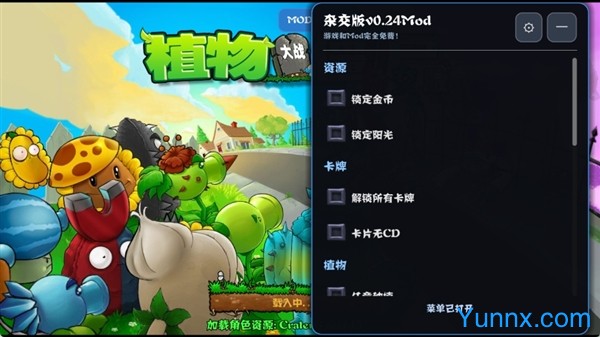
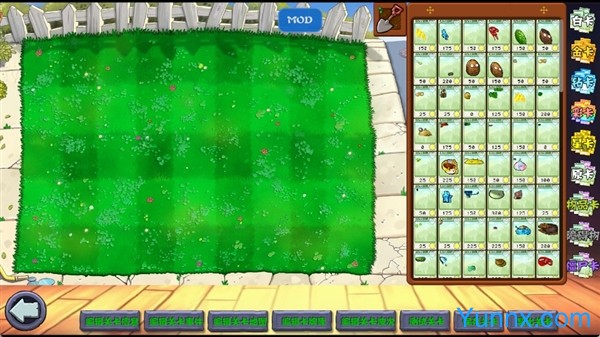


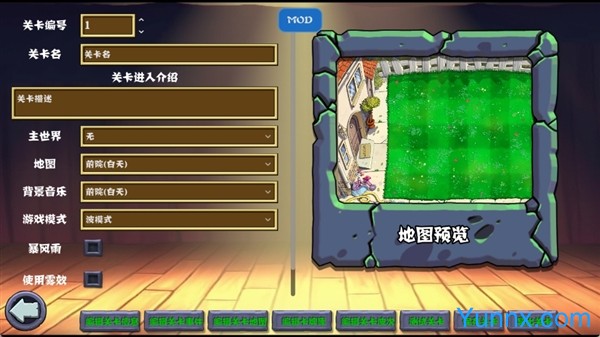
Breaking the inherent boundaries of the original gameplay, the Plants vs. Zombies hybrid version has a built-in menu and computer version, which is adapted through secondary creation to provide players with a richer experience of Plants vs. Zombies battles. On the basis of retaining the core of the original classic defense strategy, this PC game has activated the plant hybridization fusion mechanism, which can combine and upgrade plants with different functions to generate unique plants with new attributes and skills. The built-in game menu function allows players to adjust various parameters directly within the game without the need to install additional modifiers, greatly reducing the operational threshold for custom games. The resources adopt an unbound installation mode, and the installation process will not automatically push third-party software, completely maintaining the purity of the game itself. Compared to the mobile version, the computer version has clearer picture quality, more precise operation, smoother running, and is suitable for long-term immersive gaming experience.
What are the unique highlights of innovative gameplay in plant hybridization
1. Supports multiple plant fusion combinations. Players can click the "Plant Hybridization" button on the right side of the game's main interface to select two plants with different functions for matching and fusion. The system will generate new plants with dual characteristics based on the attack, defense, and auxiliary attributes of plants. For example, the fusion of marksman and defense plants can obtain comprehensive plants that can both attack and resist damage, greatly enriching the construction ideas of defensive barriers.
2. Add multiple unique game modes, including hero mode, star card challenge mode, etc. Click the "Game Mode" switch button on the main interface to select the corresponding mode to start the game. Compared to the original single level mode, the new mode increases the difficulty level and game durability, effectively avoiding the monotony caused by long-term gameplay.
3. Update multiple new types of zombies, each with unique movement speed, attack methods, and damage resistance. Players need to deploy targeted formations based on the characteristics of zombies and hybrid plants, which enhances the game's strategic and mental challenges, providing a new experience for each level clearance.
4. Add a super full card plant system, such as special plants like Nut Fairy, which have high health and multiple protective skills. This type of plant can be unlocked by completing specific level tasks, and can be freely selected in the game after unlocking, further enriching the game's strategy matching space.
Introduction to the specific operation methods and functions of the built-in menu
1. The menu startup operation is simple and easy to learn. After starting the Plants vs. Zombies Hybrid Edition built-in menu computer version, players can directly press the F1 key on the keyboard to bring up the built-in menu interface without the need to install additional plugins or modifiers. The menu interface layout is clear, and all functions are labeled in Chinese, making it easy for novice players to quickly get started.
2. Support custom adjustment of multiple game parameters, including plant cooldown time, game coin quantity, zombie birth frequency, plant damage multiplier, etc. By clicking on the corresponding function option in the menu, precise adjustments can be made through slider or numerical input to meet the gaming rhythm needs of different players.
3. Provide unlimited resource function. After turning on the "Infinite Coins" and "Infinite Sunshine" switches in the menu, there will be no shortage of resources in the game. Players can focus on plant hybridization and defense line construction without worrying about resource pressure.
4. Support level skipping and saving functions. When encountering difficult levels, you can directly activate the skip function to quickly experience the subsequent content. At the same time, the menu has a built-in save and backup function. Click on 'Save and Backup' to save the current game progress and avoid progress loss.
Editor's test: You may need to pay attention to these details
① The installation package has a volume of approximately 198MB and takes about 8 seconds to load on the first startup, reducing 30MB of memory usage compared to early hybrid versions. It can also start and run stably on low-end computers.
② The software requests 2 system permissions, of which 0 are sensitive permissions that only require file read/write and screen display permissions. It will not access private computer data and runs in a safe and clean environment.
③ This version is a pure gaming experience version, with no pop-up ads or floating ads inside, and no need to manually turn off the ad switch, providing a pure gaming experience throughout the entire process.
④ Compatibility testing of low-end devices shows occasional lagging when running the Win7 system. It is recommended to use a Win10 or higher system to completely avoid lagging issues.
Frequently Asked Questions FAQ (Unique Function Scenarios)
Question: What should I do if the built-in menu cannot pop up by pressing F1?
Answer: First, confirm that the game is running in full screen mode, and some devices will disable shortcut keys in windowed mode. After closing all game assistance tools on the computer, restart the game and press the F1 key again to bring up the menu normally.
Question: How to solve the problem of skill failure after plant hybridization?
Answer: This problem often occurs during the fusion of advanced plant combinations. You need to reset the game parameters to default settings, turn off the overclocking function in the menu, and perform plant hybridization again to fix the problem of skill failure.
Question: What should I do if my game save is lost after restarting?
Answer: It is recommended to manually save progress by clicking the save backup button in the built-in menu before ending the game. The software defaults to only retaining the most recent automatic save, and manual backup can effectively avoid progress loss.