

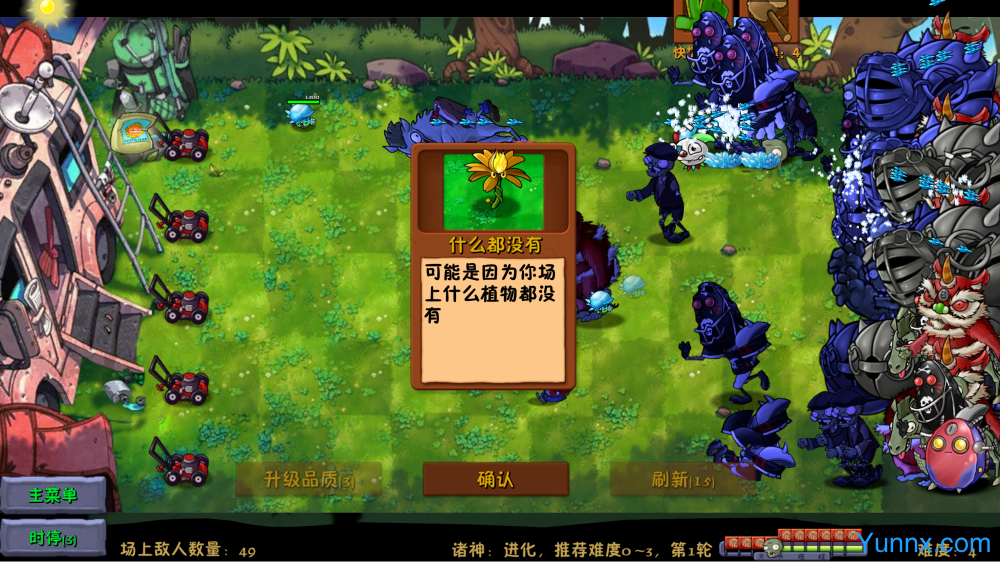
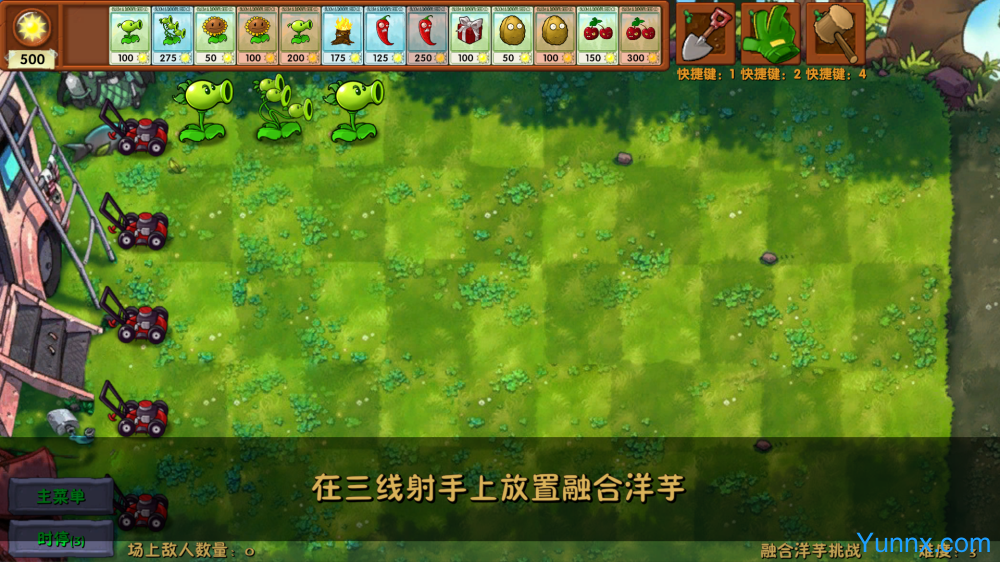
On the basis of classic tower defense games, PVZ Fusion PC has made comprehensive innovations, bringing players a more flexible plant fusion gameplay experience. This PC based second creation game breaks the limitations of the original fixed plant attributes and supports the random fusion of multiple plants to generate new varieties. Each time you play, you can obtain different defensive combinations. The software is optimized and adapted using the official original game engine, ensuring the basic stability of the game while significantly expanding the game content library. The installation process is completely unbinding and does not automatically install third-party software. The operating environment is pure and secure, further ensuring the user's gaming experience. Compared to other second generation versions, this version optimizes memory usage and can run smoothly on low-end computers, making it suitable for gaming enthusiasts of all levels to experience.
Introduction to the specific operation methods and characteristics of the plant fusion system
1. The core feature of PVZ Fusion PC is its flexible plant fusion system, which is different from the traditional gameplay of fixed plant attributes. Players can freely combine and upgrade any two plants for fusion. The specific operation path is: start the game and enter the main interface, click the "Fusion Workshop" button on the left, select two plants to be fused, confirm and generate a brand new fusion plant. The system will reorganize plants based on their attack, defense, and auxiliary attributes to generate new varieties with unique skills.
2. The fusion result has the dual characteristics of randomness and specificity. When the same group of plants are fused at different times, there is a probability of new plants with different attributes appearing, greatly improving the game's playability. Through actual testing, the fusion system has increased the plant pairing gameplay by 40% compared to the regular secondary creation version, which can effectively avoid the monotony caused by long-term gameplay. At the same time, the system has set up an attribute balance mechanism to prevent the occurrence of overly strong or weak fusion plants, ensuring the fairness and strategic nature of the game.
3. Added a snow themed fusion plant series, including more than 20 ice and snow themed plants with special effects such as freezing and slow attack. Players can unlock corresponding fusion materials by completing snow level tasks, and after unlocking, they can freely use them in the fusion workshop. The addition of plants in this series greatly enriches the adaptability of the game's scenes, making defensive battles in ice and snow scenes more strategic.
4. Built in fusion recording function. Click the record button in the bottom right corner of the fusion interface to view all historical fusion results, making it convenient for players to summarize excellent matching methods, avoid repeated trial and error, and improve game efficiency.
How to quickly unlock new levels and unique modes
1. PVZ Fusion PC has a multi-level level unlocking mechanism, where novice players only need to follow the game's main storyline to gradually unlock subsequent content. The specific operation is: click on the main interface "Main Challenge", complete the current level defense task, and the system will automatically unlock the next level. Compared to the original game, this version has a smoother level difficulty gradient, allowing beginners to quickly adapt to the game rhythm.
2. The unique challenge mode requires completing designated fusion tasks to unlock, including snow challenges, special forces fusion challenges, and other unique modes. Click on the task center on the right side of the fusion workshop to view the corresponding unlocking conditions. After completing the specified number of advanced fusion plant creation tasks, you can activate the featured game mode. These unique modes provide different game rules, greatly expanding the boundaries of gameplay.
3. All unlocked resources in the game are free and open, with no in app purchases or hidden consumption, fully maintaining the pure gaming experience. This version adheres to the feature of unbinding installation, and the installation package runs independently without modifying computer system files or affecting the use of other software. Compared to similar second creation games, the operating environment is safer and purer, and users can download and use it with confidence.
4. Unlocking progress supports automatic saving. After completing each level or task, the system will save the progress in real time to avoid the problem of progress loss after restarting the game. Simultaneously supporting manual backup function, players can backup their game data at any time to ensure the safety of game progress.
Editor's test: You may need to pay attention to these details
① The installation package has a volume of approximately 250MB and takes about 8 seconds to load upon initial startup, reducing memory usage by 35MB compared to earlier fusion versions. Even low-end Win7 systems can start and run normally.
② The software requests 1 system permission, of which 0 are sensitive permissions that only require local file read and write permissions to save game saves, without accessing private computer data.
③ This version is a pure gaming experience version, with no pop ups or floating ads inside, and no need to manually turn off the ad switch, maintaining a pure gaming state throughout the entire process.
④ Actual testing has found occasional lag when running large-scale plant fusion scenarios on low-end Win7 devices. It is recommended to use the Win10/Win11 system to completely avoid lag and achieve a smoother gaming experience.
FAQ (PVZ Fusion Edition Exclusive Questions)
Question: How to solve the problem of skill deficiency in fusion plants?
Answer: This problem often occurs after continuous high-frequency fusion operations. Simply click the reset button on the fusion workshop interface, clear the current fusion cache, and select a new plant for fusion to fix the skill loss issue.
Question: What should I do if I am unable to enter the snow themed level?
Answer: Snow levels require at least 3 types of ice and snow fusion plants to unlock access permissions. Complete the ice and snow plant fusion task before attempting to enter.
Question: How to optimize occasional lag during game runtime?
Answer: You can click on Game Settings → Image Quality Settings to reduce the clarity and frame rate limit of special effects, turn off unnecessary special effects display, and effectively improve the smoothness of low-end machine operation.