ChatGPT Memory Function Complete Guide: Upload Files, Memory Rules, Custom Instructions Clearly Explained at Once
Jun 15, 2026
The memory function and custom instructions of ChatGPT are key to improving efficiency. Mastering these skills will help your ChatGPT understand you better and become a true personal assistant.
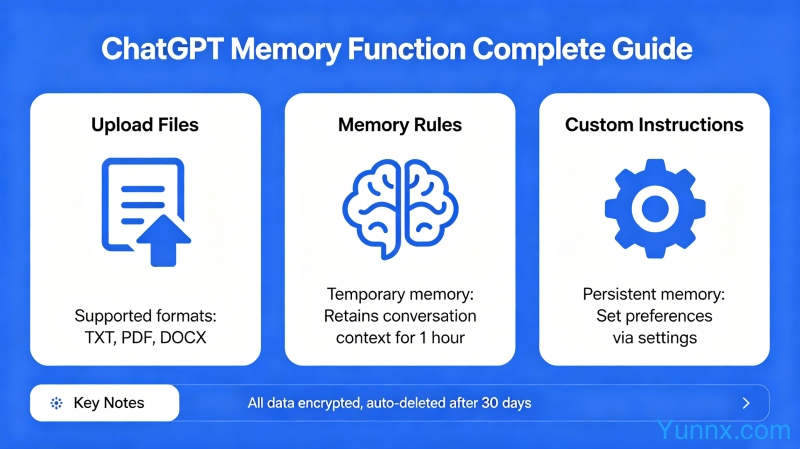
How to use the ChatGPT memory function
1. Turn on the memory function switch in ChatGPT settings.
2. Tell ChatGPT to remember this or remember it later, it will automatically store the information.
3. You can directly tell ChatGPT about your information: work background, common language styles, preferences, etc.
4. Check memory: Ask ChatGPT what you remember about me to check.
5. Delete Memory: Say forget or delete the memory about XX to clear it.
The correct way to write custom instructions
1. Find the custom command option in the settings.
2. Write character settings in the first box and reply preferences in the second box.
3. Example: The first box states that you are a professional fitness coach, and the second box states a concise and professional response with specific suggestions.
4. Don't write too much, keep the instructions clear and specific.
5. Multiple instruction templates can be created for different scenarios.
The difference between memory function and custom instructions
1. Memory function is the long-term storage of information, and all conversations take effect.
2. Custom commands are the default settings for each conversation.
3. Both can be used simultaneously, with overlapping effects.
4. Memory is suitable for fixed information, and custom instructions are suitable for reply style.
5. When used in combination, ChatGPT will become a true personal assistant for the best results.
How is the actual test effect
After setting up, ChatGPT will remember your background information.
2. There is no need to repeatedly explain one's situation in each conversation.
3. The reply style will gradually become fixed and more in line with personal preferences.
After long-term use, ChatGPT will understand you more and more.
5. This setting is permanently effective and needs to be reset after changing devices.
frequently asked questions
Will memories disappear? Deleting a conversation will not erase the memory, it needs to be manually cleared.
Can I show the file to ChatGPT? Sure, ChatGPT can read and analyze the uploaded file.
Is there a limit to memory? There is currently no clear upper limit, but too much information can affect the effectiveness.
Can the free version be used? The ChatGPT free version also supports memory function and custom commands.
5. Is privacy secure? Memory content is stored in the cloud, and it is not recommended to store sensitive private information.
Recommend Apps