How to use ChatGPT voice mode? ChatGPT Real time Dialogue and Advanced Voice Function Deep Usage Guide
Jun 07, 2026
ChatGPT's advanced voice mode allows users to directly communicate with AI using voice, completely replacing typing input. This article provides a detailed introduction to the activation method, usage scenarios, and main differences between voice mode and voice assistants such as Siri.
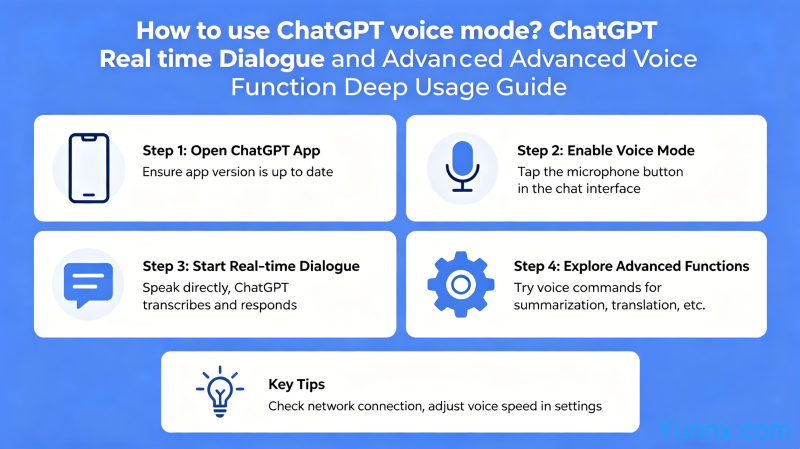
Voice mode activation method
1. Open the ChatGPT app, click on the avatar in the bottom right corner ->Settings ->Voice Settings ->Enable voice interaction function.
2. Choose the sound you like. ChatGPT offers a variety of sound options, each with a different tone and speaking style. You can switch and compare to choose the most comfortable one.
3. iOS users can directly click on the headphone icon on the main interface to enter voice mode without additional settings.
4. Maintain a stable network connection during use. Voice mode requires real-time transmission and processing of audio data, and poor network conditions can cause conversation interruptions.
The difference between voice mode and typing
1. The voice mode has a faster output speed. AI directly responds with voice commands, which is faster than typing and suitable for scenarios that require quick access to information.
2. The voice mode supports interruption. During the AI response process, you can directly interrupt by speaking without waiting for the AI to finish speaking.
3. The voice mode is more natural. For complex problems, voice expression is smoother than typing, reducing the burden of organizing language.
4. However, the voice mode is not suitable for scenarios that require AI to return codes or precise formatted content. The typing mode can be copied and pasted, but the voice output cannot be directly copied.
Advanced voice mode usage tips
1. Practice a foreign language using voice mode. You can converse with ChatGPT in English, French, and other languages, and the AI will answer in the corresponding language, making it a free speaking practice companion.
2. Voice mode is suitable for brainstorming. When taking a walk or commuting, use voice to discuss ideas with ChatGPT, and AI will provide feedback to help you organize your thoughts.
3. Set up roles to receive more professional answers. You can say 'You are now a lawyer with 10 years of experience, help me analyze this contract', and the AI will switch to the corresponding role.
4. Use continuous dialogue to dig deeper into the problem. The voice mode supports continuous context, allowing you to ask a general direction first and then gradually delve into specific questions.
Main differences from voice assistants such as Siri
1. ChatGPT has genuine understanding and generation capabilities. Siri is rule-based and knowledge-based, capable of executing fixed commands but unable to engage in complex conversations and creations.
2. ChatGPT can maintain long-term continuous conversations. A topic can be discussed for dozens of minutes, and each conversation with Siri is independent.
ChatGPT can generate creative content. Writing poetry, stories, and code is something that Siri cannot do with ChatGPT.
4. However, ChatGPT cannot control system settings. Siri can help you set alarms and send text messages, while ChatGPT can only provide information and text content.
Privacy and Security Precautions
1. Speech data will be used for AI model training. Turning off 'using audio to improve the model' in the settings can prevent data from being used for training.
2. Avoid disclosing sensitive information in voice conversations. Account password, ID number number, bank card number, etc. should not be mentioned in the voice conversation.
3. Pay attention to privacy when using in public places. Voice conversations may be heard by people around you, so avoid discussing sensitive content in crowded and noisy places.
4. Turn off the voice wake-up function. Turn off voice wake-up when not needed to prevent privacy breaches caused by accidental triggering.
Summary
ChatGPT voice mode is an underestimated feature. It extends AI interaction from text to speech, greatly expanding its usage scenarios. Specially recommended for language learning, brainstorming, and information gathering, with much higher efficiency than typing.
Recommend Apps