In depth review of Telegram's "conversation folder" function: the correct way to organize chat records
Jun 05, 2026
The "SavedMessages" feature of Telegram has been overlooked by many people, but it is actually a powerful note taking and data organizing tool. This article provides a detailed introduction on how to efficiently manage your fragmented information using Telegram conversation folders.
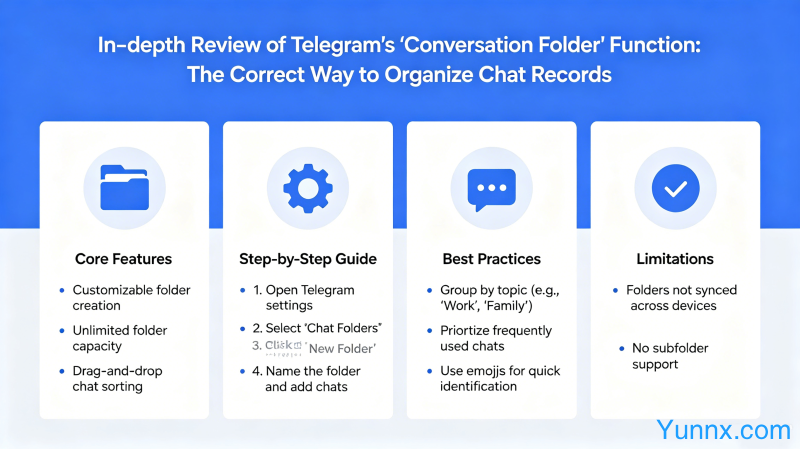
What is Telegram conversation folder
1. "Dialogue folder", also known as "saved messages", is a private space provided by Telegram for each user. The function is similar to a chat group that only you can see.
2. You can send any content to the conversation folder: text, images, files, links, voice messages, and even categorize and manage multiple conversation folders at the top.
3. The content of the conversation folder will be synchronized to the cloud, which can be accessed anytime by changing phones or computers. It is one of the strongest note taking tools with cross device synchronization capabilities.
Practical scenarios of dialogue clip
1. Read later. If you come across a good article or important link, forward it to the conversation folder in seconds, and then organize or read it carefully when you have time.
2. Password management. Sending various account passwords to the conversation folder and unlocking them with your phone fingerprint or Face ID is safer than writing them in a memo (because Telegram cloud encryption is added).
3. File transfer station. See useful information on the computer, send it to the conversation folder, and open it directly on the phone to view it; Photos taken with a mobile phone can also be transferred to a computer through a conversation folder.
4. Collect shopping inspiration. Take a screenshot of what you want to buy and send it to the chat folder, organize it into a shopping list, and don't forget what you want to buy.
Advanced Organizing Techniques for Dialogue Clips
1. Top up multiple conversation clips. Multiple conversation clips can be placed at the top of the conversation clip list for easy categorization. For example, "Work", "Life", "Shopping", and "Password" are placed at the top respectively.
2. Search history. The content in the conversation folder can be searched, quickly locate by entering keywords, and no longer worry about not being able to find previously saved things.
3. Set up scheduled reminders. Dialogue clip messages can be set with scheduled reminders, such as "remind me of a meeting at 3pm", so you no longer have to worry about forgetting important matters.
Comparison between Dialogue Folder and Other Note taking Tools
1. Comparison Notion: Telegram conversation folders do not require any configuration and can be used upon opening, but do not support complex formatting and database functionality. Suitable for mild note taking needs.
2. Comparing Impression Notes: Telegram synchronizes faster, but Impression Notes has a better tagging and classification system. Suitable for users who require long-term accumulation of knowledge base.
3. Compared to Apple Notes: Telegram's conversation folder is more reliable for cross device synchronization than iCloud (because the server is overseas), but Apple Notes has richer editing functions.
Security settings
1. Set up Telegram two-step verification. Enable 2FA in 'Privacy and Security' to prevent unauthorized login to the account.
2. The conversation clip is not locked. Anyone with your Telegram contact information can send you messages, but the conversation folder is only visible to you and is a truly private space.
3. After logging out of the account, the content of the conversation folder will be cleared. If important information is saved in the conversation folder, remember to back it up before logging out.
Summary
Telegram conversation folder is a severely underestimated efficiency tool. Its convenience and cross device synchronization capability surpass most note taking applications, making it suitable for users who do not want to tinker with tools but need to organize information at will.
Recommend Apps