What's wrong with TikTok not being able to load videos? TikTok Network Problem Investigation and Solution
Jun 04, 2026
TikTok videos that cannot load or load very slowly are the most common problems encountered by domestic users. Network issues are the main cause. This article introduces common causes and solutions for TikTok loading issues.
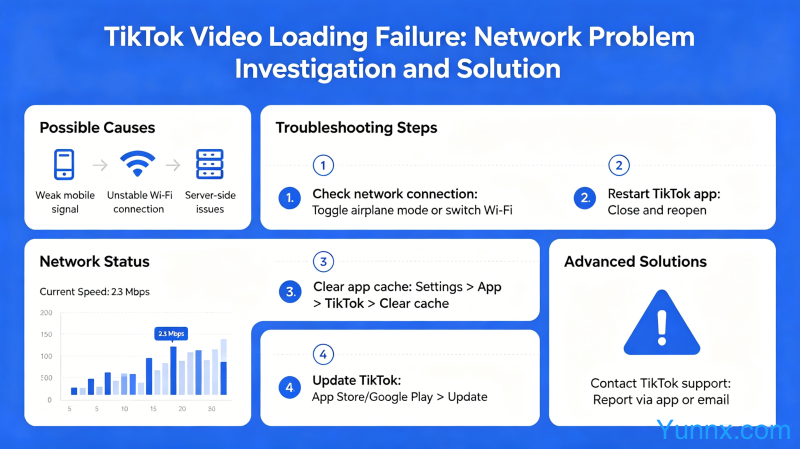
Network problem troubleshooting
1. The most common reason is that the current network environment is unstable or restricted. Check network latency and stability.
2. Try switching networks: Switch WiFi to mobile data, or try the other way around.
3. Use a speed measurement tool to test the current network speed. If the delay exceeds 200ms, TikTok will experience a noticeable lag during loading.
Node and line issues
1. When using proxy tools, node quality directly affects TikTok loading speed.
2. Try switching to different nodes, some nodes may be restricted or have insufficient bandwidth.
3. It is recommended to use native nodes or dedicated lines for better stability.
Phone settings issue
1. Check if the date and time on the phone are correct, as incorrect time zones may cause certificate verification to fail.
2. Clear TikTok cache: Clear TikTok's cache data in the phone settings, and then log in again.
3. Ensure that TikTok has obtained network access, as some phone security settings may be blocking TikTok's network access.
APP version issue
1. The installed version of TikTok may not be the latest version and may have bugs. Update to the latest version and try to resolve it.
2. If it is a domestic version of TikTok (Tiktok international version), its function may be limited. It is recommended to download the international version of TikTok.
3. Remember to log in to your account before uninstalling and reinstalling to avoid account loss.
Account issues
1. Account abnormalities may trigger restrictions, causing content to fail to load. Contact TikTok customer service to appeal.
2. Accounts that violate community guidelines will have some functions restricted. Check if any illegal content has been deleted.
3. Multiple failed login attempts may result in temporary ban, wait 24-48 hours and try again.
Summary
90% of TikTok loading issues are due to network reasons. First check the network and node quality, then consider the phone settings and account issues. A stable node is the key to solving the problem.
Recommend Apps