How to register and use ChatGPT? ChatGPT usage tips and advanced features
May 28, 2026
In 2026, ChatGPT has been updated to the GPT-5.4 era, with significant changes to the registration process and functionality. This article provides a detailed explanation of the latest registration steps, comparison of subscription plans, and tips for using 12 advanced features.
Preparation for ChatGPT registration
1. Scientific Internet access tools are necessary: ChatGPT service is not open to Chinese Mainland, Hong Kong and Macao. Before registration and use, it is necessary to ensure that the network IP is switched to non Chinese Mainland regions, such as the United States, Japan, Singapore and other nodes. Please note that Hong Kong IP is currently inaccessible, and it is recommended to use nodes from the United States or Japan.
2. Prepare an international email: It is recommended to use Gmail, Google Workspace, Outlook, or Apple ID to associate the email. 163. QQ and other domestic email addresses are highly likely to be unable to receive verification emails or directly rejected for registration by the system, which is one of the most common reasons for registration failure.
3. Prepare a foreign phone number (or virtual number): During the registration process, the system may require phone number verification. If you cannot use a foreign entity mobile phone number, you can use virtual access platforms such as SMS-Activate and 5sim.net to receive SMS verification codes. These platforms support Alipay to purchase points.
4. Browser selection and settings: It is recommended to use Chrome or Edge browsers, make sure the browser language is set to English (or the language of your target node's country), and clear the browser cache and cookies before starting the registration process to avoid being recognized by the system as abnormal access.
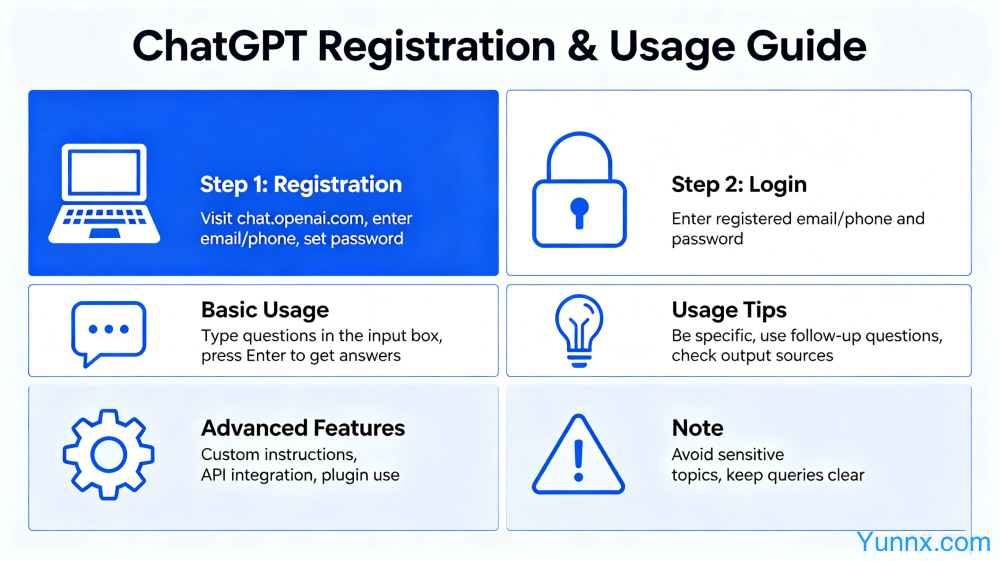
ChatGPT registration detailed steps (latest version in 2026)
1. Access to the official website: ensure that the scientific internet tool is connected and the node is normal, enter chat.openai.com in the browser and press Enter. If the page cannot be opened or jumps to the no access page, it means that the node IP is still recognized as Chinese Mainland, and you need to switch the node and try again.
2. Click on Sign Up to start registration: Click on the "Sign Up" button on the login page and select the registration method. It is recommended to register directly with a Google or Apple account authorization, which can skip the email verification step and is the most convenient.
3. Fill in personal information: Users who register using email need to set a password and fill in their name (it is recommended to use their real name or commonly used English name), as well as their date of birth (be sure to fill in a date greater than 18 years old, otherwise some functions may not be available).
4. Complete email verification: The system will send a verification email to your email. After logging into your email, click on the verification link in the email. If the email has not been received, check your spam folder or try again with a different email address.
5. Mobile phone number verification (required by some users): If the system requires mobile phone verification, select the corresponding country code (such as US+1, Japan+81) from the drop-down menu, enter the virtual number or foreign mobile phone number, obtain the verification code on the platform, and enter it to complete the verification.
6. Start using: After successful verification, automatically jump to the ChatGPT main interface. The first login to the system will guide you through basic settings, including selecting usage preferences, etc. Follow the prompts to operate.
ChatGPT Version Explanation: How to Choose Free Version, Go Version, Plus Version, Pro Version
1. ChatGPT Free Edition: You can use the basic features of ChatGPT, and the model is GPT-5.2 (limited quota). There are limitations in terms of conversation frequency, file upload, image generation, etc., which are suitable for users with mild experience. However, if you are a heavy user, the free version's user experience will be significantly limited.
2. ChatGPT Go version (about 270 yuan/month): Provides 10 times the message transmission volume, 10 times the image generation volume, and 2 times the conversation memory length compared to the free version, suitable for student party and light office users. It is a cost-effective choice between the free version and the Plus version.
3. ChatGPT Plus version (approximately $20/month, approximately $690/month in some regions): can use advanced reasoning models such as GPT-5.4 Thinking, DALL-E 3 image generation, data analysis, online search, plugin system, and all other advanced functions, with faster and more stable response speed, suitable for daily high-frequency users, content creators, and professionals.
4. ChatGPT Pro version (approximately $100/month): aimed at professional users and heavy developers, it has a usage limit far higher than Plus, stronger deep reasoning and research capabilities, and Codex usage is 5 times that of Plus version. If you need AI to run 24/7 to handle complex tasks, the Pro version is the only choice.
5. How to subscribe to Plus/Pro for domestic users: You need to use a virtual credit card (such as Depay/WildCard) to bind Alipay for recharging, or use the Apple ID of Meiqu District to purchase an App Store gift card and subscribe on the iOS client. Do not use unauthorized proxy services to prevent account theft.
ChatGPT usage tips: How to obtain high-quality answers
1. Use the "role setting+context+output format" questioning method: Don't just ask "help me write the copy", but provide specific roles ("you are an e-commerce copywriting expert with 10 years of experience"), clear scenarios ("promote a newly launched exfoliating product targeting urban women aged 25-35"), and output formats ("list 3 versions in Markdown format, each with 200 words"). These three elements can improve the quality of the answer several times.
2. Setting constraints to clarify "what cannot be done": It is very important to tell AI about your constraints. For example, "Do not use absolute language", "Keep word count within 500 words", "Do not mention competitor names", etc., to make AI output more accurate and controllable.
3. Step by step guidance for complex tasks: Do not throw complex tasks all at once, providing AI with step-by-step guidance is more effective. For example, the first step is to analyze the issues with this copy; the second step is to provide modification suggestions; and the third step is to help me rewrite the complete version.
4. Mid way modifications are more efficient than re questioning: If the AI's answer direction is incorrect, click the edit button to modify your previous question, allowing the AI to adjust on the original basis instead of clearing the conversation and starting again, which can maintain contextual coherence.
5. Use the regeneration and termination functions: If you are not satisfied with the answer, you can click "Regeneration" to regenerate; If the AI starts to digress, you can input "stop" or "wait a moment" and then redirect the topic.
ChatGPT Advanced Features Detailed Explanation (Exclusive for Plus/Pro Users)
1. Model mode switching: Plus users can switch between Instant mode (quick response), Thinking mode (deep reasoning, suitable for complex mathematical proofs, code debugging, strategic planning), and Auto automatic mode. Remember to switch to Thinking mode when encountering complex problems.
2. Deep Research: When entering a research topic, ChatGPT will utilize its deep reasoning capabilities to automatically collect, analyze, and integrate multiple rounds of information based on your knowledge base, ultimately generating a structured research report suitable for academic and business research scenarios.
3. Real time multimodal fusion: It can upload images, audio clips, code files, and data tables simultaneously, and AI will comprehensively process these heterogeneous information for joint inference. For example, uploading a screenshot of data for AI to analyze directly, or uploading a recording for AI to compile into a written manuscript.
4. Canvas Collaborative Canvas: After opening Canvas mode, AI can collaborate with you in real-time to edit documents, code, or visual content, suitable for long article creation or code debugging work that requires writing and editing at the same time.
5. Projects project management: Save useful conversation content to the project as a reusable knowledge base, support importing resources from applications such as Slack and Google Drive, suitable for team collaboration and long-term project follow-up.
6. Finance Management (gradually open to US Pro users in May 2026): It can securely connect to bank accounts, view fund flow dashboards, ask ChatGPT questions for financial insights, manage bill subscriptions, and set savings goals.
7. Voice chat mode: Click on the voice icon in the interface to have a conversation with ChatGPT using voice, and the AI will respond with voice. Suitable for use when it is inconvenient to operate a mobile phone with both hands or when quick inspiration needs to be recorded.
8. Custom GPT: No programming is required to create GPT versions customized for specific tasks within ChatGPT, such as those specifically designed to help you write emails, code, or tutor learning. After uploading knowledge base files, you can create exclusive AI assistants.
Recommend Apps