How to create a private channel on Telegram? Telegram Advanced Privacy Guide
May 18, 2026
How to create a private channel on Telegram? Telegram is one of the most popular encrypted communication applications worldwide, and its private channel feature is highly favored by users who value privacy. Compared to WeChat, Telegram's private channels support advanced features such as setting administrators and channel statistics. This article provides a detailed explanation of creating Telegram private channels and advanced privacy protection strategies.
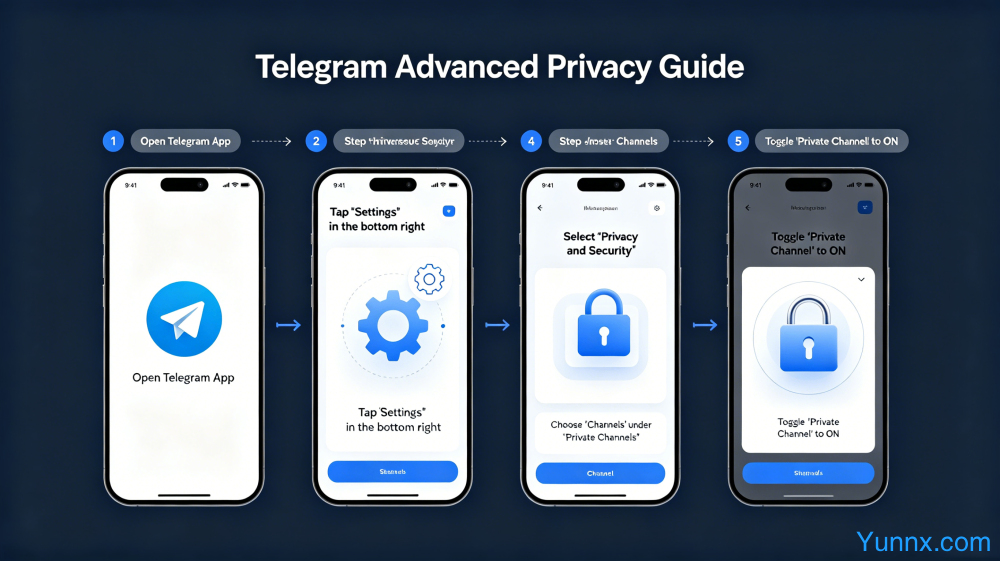
Creating and Setting up Telegram Private Channels
To create a private channel in Telegram: click on the menu in the upper left corner ->create a new channel ->enter the channel name and description ->select 'Private Channel'. Private channels will not appear in search results and can only be joined through invitation links. The invitation link can be set with a validity period and usage frequency, and will automatically expire after expiration. A new link can be generated at any time to replace the old link.
Private channels support setting multiple administrators, and administrator permissions can be finely controlled?? Some people can only send messages, some can delete messages, and some can manage members. Suggest setting separate permissions for administrators and not giving too many permissions to prevent accidental operations. The channel owner can revoke the administrator status at any time, and the revoked administrator will receive a notification.
The Channel Statistics function can view data such as the reading volume, interaction rate, and member growth curve of each message. The statistics of private channels are only visible to administrators and will not be made public.
Telegram Advanced Privacy Settings Guide
Telegram privacy settings portal: "Settings" → "Privacy and Security". The privacy options that can be set include: who can see your phone number (everyone/contacts/no one), who can see your online status (everyone/contacts/no one), who can add you to groups (everyone/contacts/no one), and whether to display the source link when forwarding messages.
Recommended settings: Set the phone number to "unmanned", online status to "contacts", and group permission to "contacts". Is two-step verification the key to protecting Telegram accounts?? After setting the login password, even if the phone number is copied, it cannot be logged in. The two-step verification password should be different from the phone unlock password. It is recommended to use a password manager to generate a strong password.
Is the privacy control of being added to a group important?? If set as unmanned, anyone who wants to add you to the group requires your consent. It is recommended to also set up 'automatic invalidation of expired invitation links' to prevent your invitation links from being indexed by search engines and being widely added to the channel.
Telegram data export and account security
Does Telegram support exporting chat records and contacts?? Go to "Settings" → "Privacy and Security" → "Export Telegram Data". The content that can be exported includes chat records (text and media files), contacts, group and channel information. The exported file is in JSON format, which is readable but does not support direct import back to Telegram. It is only used as a backup.
After canceling the Telegram account, all data will be deleted within 30 days. If you want to completely clear your chat history without logging out of your account, you can manually delete all chat records in the settings (select "Delete and Stop"). Telegram's privacy policy clearly states that it will not sell user data to advertisers, making it the preferred communication tool for privacy conscious users.
Active Telegram groups and channels are important channels for obtaining first-hand information, but there is also a large amount of spam and fraudulent content. It is recommended to be cautious of unfamiliar links and not easily click on phishing websites that look like Telegram login pages. You can verify whether the link is an official link by checking if the domain name is t.me.
Recommend Apps