How to download YouTube videos to mobile phones? YouTube Official Policies and Alternative Solutions
May 14, 2026
How to download YouTube videos to mobile phones? YouTube official policy and three alternative download options. YouTube officially does not allow direct downloading of videos, but offline saving can be achieved through web parsing or third-party tools. This article provides a detailed introduction to the policy boundaries of YouTube downloads and legal alternatives, suitable for users who need to watch videos offline for reference.
What are the official download methods allowed by YouTube?
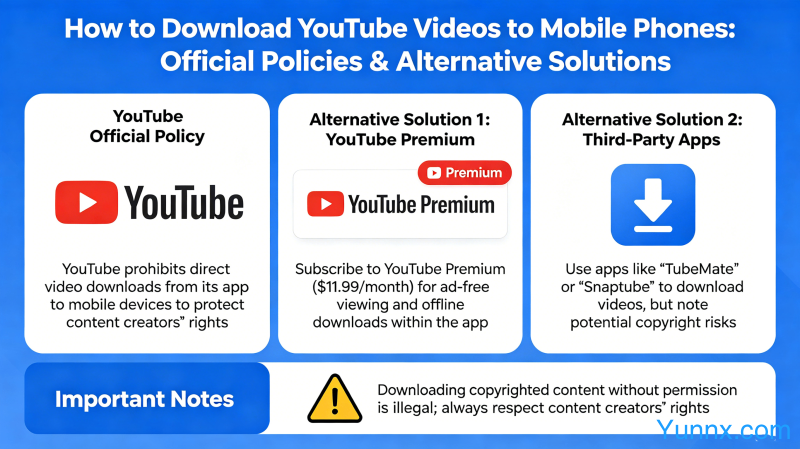
1. YouTube Premium subscription: After subscribing to YouTube Premium, you can directly download videos from the app to your local device, which supports offline playback. The downloaded videos are valid during the subscription period and will be automatically deleted after the subscription expires. Premium supports downloading videos up to 4K resolution.
2. YouTube App Cache: When watching videos within the app, clicking the download button will only allow the cached videos to be available within the app and cannot be exported to albums or shared. This is the only officially recognized download method on YouTube.
3. YouTube Premium in China starts at approximately 14.99 yuan/month and supports background playback and picture in picture functionality. It also allows for ad free viewing of all YouTube videos, making it suitable for heavy users.
How to download YouTube videos with third-party tools
1. To parse the website: copy the YouTube video link → paste it into the parsing website (such as mainstream parsing sites like y2mate) → select the resolution and format (MP4 or MP3 audio) → click download. Attention should be paid to copyright issues and do not download copyrighted content for commercial dissemination.
2. Through browser extensions: Install extensions such as Video DownloadHelper in Chrome, and when accessing YouTube videos, click on the extension icon to see the downloadable resolution options. The extension will automatically detect video resources on the page.
3. Using command-line tools: Download open source tools such as yt dlp on the computer, supporting Windows/Mac/Linux platforms. Command example: yt dlp [video URL], supports downloading complete resources such as subtitles and thumbnails.
Where are the legal boundaries for downloading YouTube videos?
1. Downloading the YouTube content you upload is legal, and the videos you create have full copyright and can be freely downloaded and used.
2. Downloading videos licensed under Creative Commons is legal, and the CC license allows for free use and dissemination under the premise of indicating the source.
3. Downloading copyrighted content for commercial purposes or public dissemination is illegal, and secondary dissemination or commercial use of videos created by others violates copyright.
4. Downloading for personal offline viewing is in a legal gray area in most countries, and it is recommended to be cautious and not publicly disseminate downloaded video content.
Comparison between YouTube Premium and third-party downloads
1. Cost comparison: Premium is about 15 yuan/month, and third-party tools are free to use. However, considering convenience and compliance, the monthly fee for Premium is not considered high.
2. Convenience comparison: One click download within the Premium app is the most convenient, while third-party tools require copying links or using a computer to operate, which is not as convenient as the official method.
3. Copyright Compliance Comparison: Premium is fully compliant, while third-party tools pose copyright risks. Downloading videos for public dissemination may face legal risks.
4. Image quality comparison: Premium supports 4K downloads, while third-party tools depend on the original resolution of the video. Some videos may have a maximum resolution of 1080P.
Quick search of common commands for yt dlp
1. Basic download: yt dlp [URL], download the default highest picture quality and sound quality.
2. Download audio: yt-dlp-x [URL], only download audio, save in MP3 format.
3. Specify the format: yt-dlp - f "bestvideo [ext=mp4]+bestudio [ext=m4a]/best [ext=mp4]/best" [URL], download the best MP4 image quality.
4. Download subtitles: yt dlp -- write buses -- write auto buses -- subtitle language zh Hans [URL], download Chinese subtitles.
Recommend Apps