XRecorder is a screen recording app primarily used on Android devices. preserving details and clarity even during fast-paced action or gameplay.
Function:
Screen Recording: XRecorder allows users to capture the screen activity of their Android devices, including gameplay, app usage, tutorials, and more.
System Audio Recording: XRecorder can record system audio along with the screen, enabling users to capture sound effects, music, or audio from apps.
Facecam Recording: XRecorder supports facecam recording, allowing users to overlay a front-facing camera feed onto their screen recordings, ideal for adding commentary or reactions.
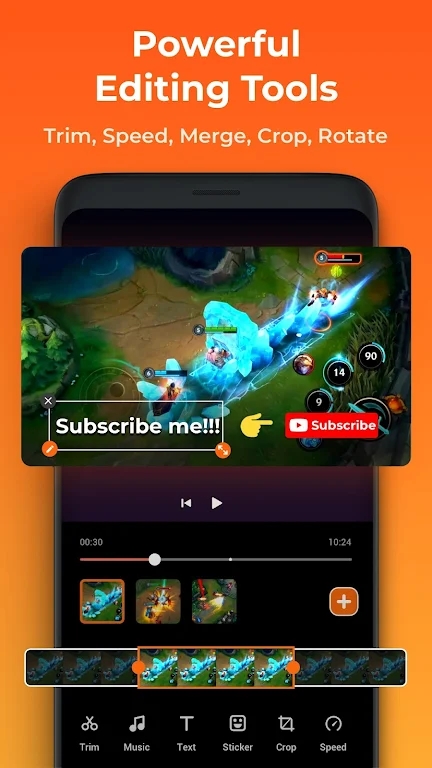
Video Editing: XRecorder includes basic video editing tools, such as trimming, merging, and adding music or subtitles, enabling users to enhance their recordings before sharing.
Characteristics:
User-Friendly Interface: XRecorder features a simple and intuitive interface, making it easy for users to initiate and manage screen recordings.
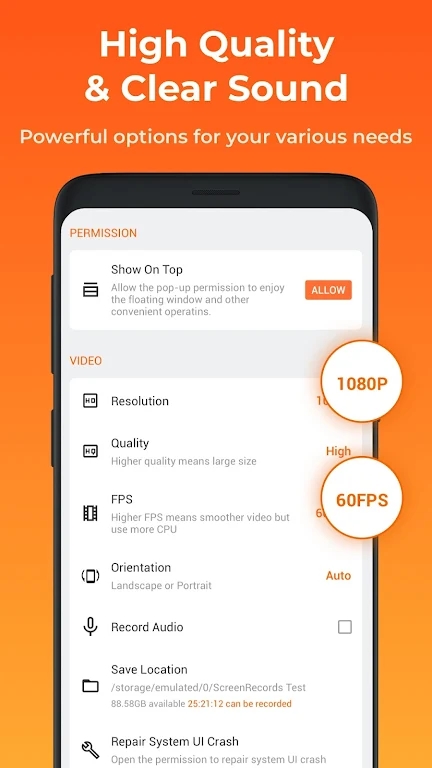
Customization Options: XRecorder offers various customization options, including video resolution, frame rate, bit rate, and orientation, allowing users to tailor their recordings to their preferences.
Floating Controls: XRecorder provides floating controls that allow users to start, pause, or stop recordings from any screen, providing convenience and accessibility.
No Watermark: XRecorder does not add a watermark to recorded videos, ensuring a clean and professional-looking output.
Highlights:
High-Quality Recording: XRecorder captures screen recordings in high quality, preserving details and clarity even during fast-paced action or gameplay.
Smooth Performance: XRecorder is optimized for performance, minimizing lag or frame drops during recording, resulting in smooth and fluid screen recordings.
Instant Sharing: XRecorder allows users to share their recordings instantly to social media platforms, messaging apps, or cloud storage services directly from the app.
Advantages:
Versatility: XRecorder can be used for various purposes, including creating tutorials, demonstrating app features, recording gameplay, or capturing moments from video calls.
Accessibility: XRecorder is available for free on the Google Play Store, making it accessible to a wide range of Android users.
No Root Required: XRecorder does not require root access to function, ensuring compatibility with most Android devices without the need for complex modifications.