Node Video - Pro Video Editor Logo

Latest Version:8.0.9

Size:149MB

Last Updated:Nov 02, 2025

Node Video - Pro Video Editor Victory Screenshots

What’s new

8.0.9

Welcome to the NodeVideo 8.0! We've redesigned the 3D engine, adding support for lighting, shadows, motion blur, and more. The new 3D view makes editing easier than ever. Fully tested and compatible with previous projects, so you can use it with confidence.

7.6.6

- New effect: [Asset Store - Distort - Tunnel]

- Projects containing copyright information cannot save presets

- Other fixes and improvements

7.6.5

Based on user feedback:

- Motion blur has been changed to a backward trailing effect for a more natural look

- Other optimizations to reduce crashes

7.6.4

Optical Flow Update 9.1:

- Motion Blur now supports GPU Acceleration

- Improved Motion Blur quality

- Improved Frame Mix options

7.6.2

Based on user feedback, fixed a crash issue when applying motion blur to long videos.

--------------------------------------

Try the new Optical Flow 9.0!

- Better Frame Mix

- Stronger Motion Blur

- Simpler Controls

7.6.0

Fixed an issue where frame mix may failed in the previous version based on user feedback.

--------------------------------------

Try the new Optical Flow 9.0!

- Better Frame Mix

- Much Better Motion Blur

- Simpler Controls

7.4.1

Based on user feedback, this update includes the following improvements:

1. Paint

- Added [Eraser] tool to [Shape - Paint]

2. Text Animation

- The Wiggle effect now supports a Random type

- Added a new Pulse type for Interpolation

- Fixed an issue where the Random Text animation didn’t work properly

About Node Video - Pro Video Editor

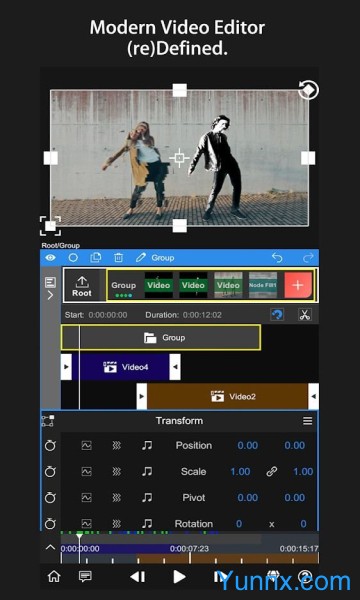
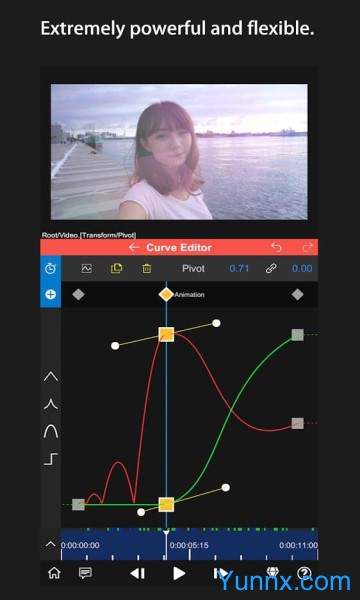
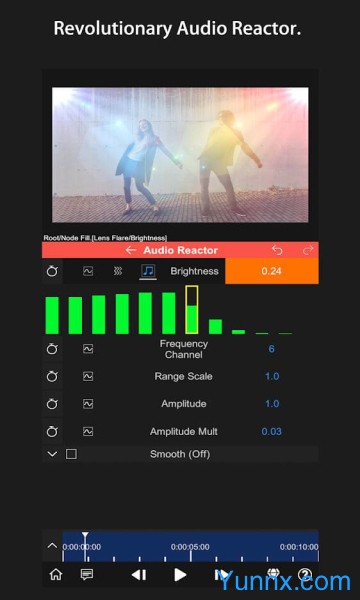
Node Video is a powerful video processing and editing tool designed for developers and creators. It allows users to create, edit, and manipulate videos using Node.js, a popular JavaScript runtime.Node Video is a versatile and efficient tool for video processing and editing.
Some of the key features and characteristics of Node Video include:

Fast and efficient processing: Node Video leverages the asynchronous nature of Node.js to process videos quickly and efficiently.

Extensive video editing capabilities: Node Video offers a wide range of editing tools and effects, allowing users to trim, crop, resize, and apply filters to their videos.

Support for common video formats: Node Video supports popular video formats such as MP4, AVI, and MOV, making it easy to work with a variety of video files.

Customizable and flexible: Node Video provides developers with a high level of control over the video editing process, allowing them to create custom workflows and automate tasks.

Scalable: Node Video can handle large video files and high volumes of video processing requests, making it suitable for projects of any size.

The advantages of using Node Video include:

Simplified video editing: Node Video streamlines the video editing process, making it easy for developers and creators to quickly create and manipulate videos.

Scalability: Node Video's ability to handle large files and high volumes of requests makes it a scalable solution for projects of any size.

Customization: With Node Video, users have the flexibility to build custom workflows and automate tasks to suit their specific needs.

Speed and efficiency: Node Video's use of Node.js enables fast and efficient video processing, saving users time and resources.


翻译中...
More

Details

Recommended Topics

Image Editing App
Image Editing App
Welcome to our Image Editing App collection! Whether you're a novice or a pro, these apps are your go - to for enhancing visuals. Crop, adjust colors, and apply filters on PicsArt. Remove backgrounds easily with Remove.bg. Unleash creativity with layers and advanced tools on Adobe Photoshop Express. Dive in and transform your images now! ..