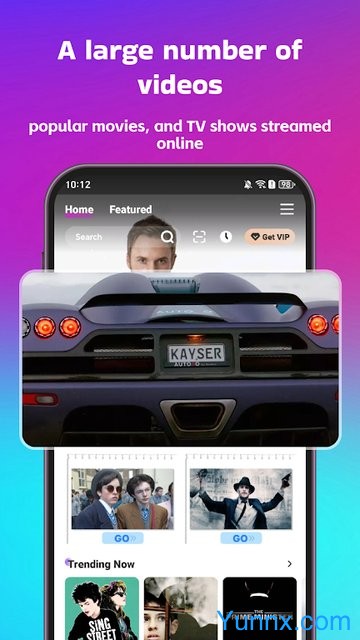

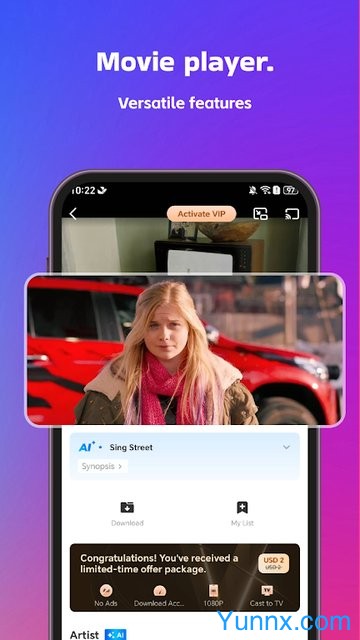

LOKTV is a one-stop international comprehensive film and television streaming platform that seamlessly connects the user experience of the original Loklok and upgrades its functions. It provides a massive international film and television content service for global users, with functions such as playback, download, interaction, and personalized recommendation. It is a tool that integrates entertainment viewing and communication with fans, and its core meets the diverse and convenient film and television viewing needs of users.
How to use?
Content search: With a simple visual interface, quickly search for Korean dramas, American dramas, documentaries, short dramas, and other content through the platform's classification bar (divided by theme/region/type) or search function; You can also directly view the personalized daily recommendations on the homepage (based on viewing history and community popularity), or enter the latest release section to get new movies and TV shows.
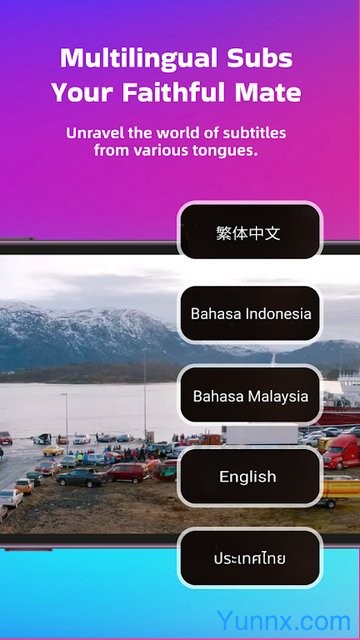
Online playback: Select the target content to play directly, default supports 1080P high-definition picture quality, can manually adjust the picture quality according to your own network speed; Simultaneously supporting the selection of multiple language subtitles and customizing the playback experience.
Offline download: For your favorite movies/TV series, simply click the download button to save them to your device without the need for a stable network. You can watch them offline in commuting, travel, and other scenarios.
Short Drama Viewing: The platform has a dedicated short drama section where you can directly browse popular short dramas. Each episode lasts 10-20 minutes and supports quick viewing of a single episode or multiple episodes in a row.
Community interaction: On the film and television content page, you can communicate with other enthusiasts, share plot insights, character analysis, and also post personal film and television recommendations to participate in platform discussions.
Cross platform viewing: Supports compatibility with multiple devices such as smartphones, tablets, and smart TVs. After logging in on different devices, seamless playback can be resumed to continue watching previously unfinished content.
Latest news follow-up: Through the platform's exclusive section, you can view the latest online content and popular drama rankings in the film and television industry in real time, and grasp the current entertainment trends.
How to use LOKTV on different devices?
LOKTV supports mobile phones (Android/iOS), tablets PC、 The core of using multiple devices such as smart TVs/TV boxes is to log in with the same account to synchronize viewing records, and to complete the large screen experience with screen mirroring or dedicated versions. Below is a complete tutorial for each device:
1、 Core premise: Multi device synchronization foundation
All devices use the same LOKTV account to log in (registration is usually completed through a phone number/email), and the system will automatically synchronize your viewing progress, favorites, download records, and personalized recommendations
Keep each device LOKTV at the latest version to ensure functional compatibility and normal synchronization
When switching across devices, simply open LOKTV on the new device and enter the corresponding content to seamlessly continue broadcasting
2、 How to use Android phone/tablet
1. Installation steps
Go to the official website or trusted app store of LOKTV and download the installation package (APK) compatible with Android 6.0+from loktv.com
If downloading from a third party, you need to enable 'Allow installation of apps from unknown sources' in your phone settings (the path may vary slightly depending on the brand)
Double click the installation package and follow the prompts to complete the installation
2. Basic operations
Open LOKTV, register/login account
Browse the homepage recommendations, category bar (region/theme/type), or use the search box to find content such as Korean dramas, American dramas, short dramas, etc
Click on the content to play directly online, default 1080P HD; Can manually adjust image quality, select multilingual subtitles, and adjust playback speed
Click the download button to save the movie/series to the device for offline viewing (without network access)
Participate in community interaction: comment and share insights on the content page, follow popular discussions
View daily personalized recommendations, manage your favorites and viewing history
3、 How to use iOS devices (iPhone/iPad)
1. Installation steps
Open the App Store, search for "LOKTV", and find the official app to download and install (some regions may require switching Apple ID regions)
Waiting for installation to complete, no additional permission settings required
2. Basic operations (consistent with Android)
Login account, synchronize personal data
Browse, search, play, and download content
Support AirPlay screen mirroring to Apple TV or smart TVs that support AirPlay
Customize subtitles, image quality, playback speed, and other settings
4、 PC computer usage instructions
LOKTV does not have a native PC client, and it is recommended to run it through an Android emulator. Taking BlueStacks as an example:
1. Installation steps
Download and install BlueStacks emulator (obtained from official website)
Open the emulator and complete the basic settings (optional for logging into a Google account)
Search for 'LOKTV' within the emulator, or drag and drop the downloaded LOKTV APK to the emulator for installation
2. Usage skills
The operation in the simulator is consistent with that on the phone, supporting mouse clicking and keyboard control
Can be played in full screen for a large screen viewing experience
The downloaded content is saved to the emulator storage space by default and can be exported to the local computer through emulator settings
5、 Smart TV/TV Box Usage Methods (Core Two Solutions)
Option 1: Install TV specific version (recommended, compatible with remote control operation)
Preparation: The smart TV/box requires an Android system (Android TV is the best) and a network connection; Allow installation of apps from unknown sources (Settings → Security/Privacy)
Installation method:
Path A (USB installation): Download the LOKTV TV version APK from the computer → Copy it to a USB drive → Insert the USB drive into the TV/box → Find the APK in the file manager → Click on install
Route B (LAN installation): TV and phone/computer with WiFi → Use tools such as Dangbei Market to transfer APK from phone/computer to TV for installation
After installation, open the LOKTV TV version, log in to your account, and you can use the remote control to browse the large screen optimization interface and play content
Option 2: Mobile screen mirroring (no need to install TV version, suitable for temporary use)
Ensure that the phone and TV are connected to the same WiFi network
Android phone: Open the LOKTV playback page → Click on the screen mirroring icon → Select the TV device (supports Chromecast/LNA) → Connect and start screen mirroring
IOS phone: Play content → Slide down from the top right corner of the screen to open Control Center → Click on AirPlay icon → Select TV device → Screen mirroring
When casting the screen, the phone can be turned off without affecting the TV playback; Can control playback progress and switch episodes on mobile devices
6、 Practice of seamless switching between multiple devices
Halfway through watching the drama on your phone, when you go home, open the smart TV LOKTV, log in to the same account, enter "Continue Watching", and pause the playback directly from your phone
The TV series downloaded from the tablet can also be viewed after logging in on the PC emulator (file synchronization required)
When crossing devices, personalized recommendations, favorites, and viewing history remain consistent without the need for repeated operations